What to Look Out For When Booking an Airbnb For Remote Work
Working from the same location every day can wear thin, which is part of why so many remote workers end up booking an Airbnb somewhere new for a few weeks or months. The problem is that Airbnb listings are built to sell a vacation, not a workspace, so the things that actually matter for getting a full day of work done, wifi that holds up on a call, a real desk, a quiet enough room, rarely show up clearly in the photos or the listing copy.
Here’s what to actually check before you book, roughly in the order it’s worth checking it.
- Verify the Wifi Before You Book, Not After
- Choose a Location That Fits How You Actually Work
- Set a Realistic Budget for a Longer Stay
- Check for Natural Light and a Real Place to Sit
- Research the Neighborhood’s Safety and Noise
- Confirm the Amenities You Actually Need
- Read the Cancellation Policy Before You Commit
- Scope Out Nearby Groceries and Food
- Ask About the Host’s Expectations and Any Flatmates
1. Verify the Wifi Before You Book, Not After

Wifi is the one thing that can end a work trip early, and “wifi available” as a listed amenity tells you nothing about whether it can handle a video call. Message the host directly and ask for a speedtest screenshot from the actual unit, not just the building. For video calls, look for at least 15-25 Mbps download and 3-5 Mbps upload; anything lower and you’ll notice it the first time two people on the call turn their cameras on at once.
It’s also worth reading the reviews specifically for the word “wifi,” since guests who had a bad connection almost always mention it, even in an otherwise glowing review.
A message like this works well and rarely comes across as demanding:
Hi [Host Name], the place looks great! I work remotely with daily video calls, so a stable connection matters a lot for my stay. Would you mind running a quick speedtest.net test and sharing the download/upload numbers? Also curious whether the router is inside the apartment itself or shared with other units in the building.
Even a good answer from the host isn’t a guarantee, buildings change internet providers, routers die, other guests hog bandwidth. Carrying a backup eSIM from Airalo or Holafly as a hotspot fallback costs a few dollars and means a bad connection is an inconvenience rather than a lost workday.
2. Choose a Location That Fits How You Actually Work
A stunning location isn’t much use if it adds an hour to your commute to the nearest grocery store or coworking space. Think about what you’ll actually need nearby: if you’re planning to work from cafes or a coworking space some days, check how far the nearest ones actually are before you commit to a neighborhood based on photos alone. It’s also worth knowing one exists within walking distance even if you don’t plan to use it, that’s your backup plan if the apartment’s wifi drops for a full day.
3. Set a Realistic Budget for a Longer Stay
Airbnb’s per-night pricing can be misleading for a longer remote-work stay, since many hosts offer meaningfully lower weekly or monthly rates that don’t show up until you actually select longer dates. Always check both before comparing listings, and factor in cleaning fees, which can matter a lot more on a month-long booking split across weekly cleanings than they would for a weekend trip.
4. Check for Natural Light and a Real Place to Sit
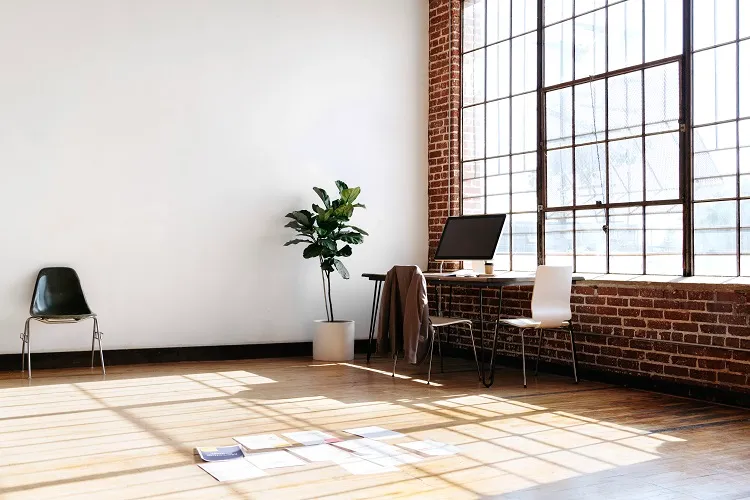
A dim room makes a full workday feel longer than it is, so look for listings with windows in the main living space, not just the bedroom. That said, watch for a desk positioned to face directly into a window, it’ll blind the camera and wash you out on every call, so a desk lit from the side is actually the better setup, not one facing the light head-on.
Beyond light, look closely at what’s actually offered as a “workspace.” A decorative bar stool or a narrow vanity table photographs fine but won’t survive an eight-hour workday: check that any chair shown has real back support, not just a cushionless stool, and that the table sits at a normal desk or dining height rather than bar height, which forces your shoulders up all day. It’s also worth checking the photo for a visible outlet near the desk; if there isn’t one, you’ll be running an extension cord across the room for the length of your stay. If none of this is clear from the listing, just message the host directly, some have a folding desk available even if it’s not in the photos.
If you’re working hours that don’t match the local daylight, an early call with a US team while you’re in Europe, for instance, it’s worth checking whether the bedroom has blackout curtains too, since sleeping through daylight hours is its own adjustment.
5. Research the Neighborhood’s Safety and Noise

Read reviews for the neighborhood as well as the listing itself, and check the area at a couple of different times of day rather than relying on daytime photos alone. For noise specifically, look for any mention of street noise, nearby bars, or construction, a listing on a quiet-looking street can still sit above a bar that gets loud every night. A unit facing a busy street with older single-pane windows will let a lot more through than one with double glazing, so it’s a fair thing to ask the host about directly if the listing doesn’t say. Most hosts will tell you honestly rather than have you find out and leave a bad review.
If you end up somewhere louder than you’d like anyway, our guide on making better calls in noisy environments covers the hardware and software that actually help.
6. Confirm the Amenities You Actually Need

Beyond wifi and a desk, think through what a normal workday actually requires: a kitchen if you don’t want to eat out for every meal, laundry if you’re staying more than a week or two, and enough outlets near the desk area that you’re not hunting for a socket mid-call. None of this is usually a dealbreaker on its own, but it’s easy to overlook when you’re mainly looking at photos of the view.
7. Read the Cancellation Policy Before You Commit
Many Airbnb hosts run strict cancellation policies that won’t refund a longer stay if your plans change, and some charge a cancellation fee on top. Check the policy before booking, especially for a month-long stay, since a strict policy on a booking that size is a real financial risk if something comes up.
8. Scope Out Nearby Groceries and Food
If you’re staying more than a few days, look up nearby grocery stores and restaurants before you book, not after you arrive. Check whether they’re walking distance or require a car, and skim a few reviews so you’re not stuck relying on an overpriced corner store for a month.
9. Ask About the Host’s Expectations and Any Flatmates

If the host lives on-site or you’re sharing the space with other guests, ask directly what a typical workday looks like for them. Some hosts are relaxed about guests being on calls all day; others expect quiet during set hours. It’s a five-minute question that avoids a genuinely awkward conversation on day three of a month-long stay.
If Airbnb itself isn’t quite the right fit for how you like to travel and work, our roundup of alternatives to Airbnb for remote work covers other options worth comparing, and it’s worth having travel insurance sorted before a longer stay abroad regardless of where you end up booking.