
5 Steps for Transitioning to a Remote Team

Making the Shift to a Remote or Hybrid Team
Hybrid is now the default arrangement for remote-capable teams, not the exception. Gallup’s tracking shows hybrid work as the predominant model for remote-capable US employees, even as the exact split between hybrid, fully remote, and fully on-site shifts quarter to quarter. Companies switch a team to remote or hybrid work for all kinds of reasons: cutting office costs, hiring outside a single city, or simply because employees ask for it and threaten to leave otherwise.
None of that makes the transition automatic. Best Buy’s early-2010s remote-work experiment was rolled back in 2013 largely because employees had total freedom over how and when they worked, with no structure to hold the arrangement together. In-person collaboration is still genuinely necessary in some environments, but plenty of fully distributed teams do just fine. The difference tends to come down to structure, not willpower.
Your Team Needs a Plan, Not Just a Laptop and a Slack Invite
However your team ended up going remote, some members will embrace it and others will miss the office. Both reactions are normal. What actually determines whether the switch works is whether you give the team a real structure to work inside, not just the tools and a hope that things sort themselves out.
The 5-step framework below covers that structure: onboarding, tools, feedback, incentives, and culture.
Step 1: Build a Remote Onboarding Process From Day One
Change is hard. Chances are that your team consists of people with varying levels of technical skills. Subscribing to the numerous online productivity and project management tools available is great. However, several hours of productivity will be lost if your team doesn’t understand how to use these tools.
The moment your company decides to transition to remote work is the moment the ICT (Information and Communications technology) team should step in to develop and implement a training and onboarding plan. Your company may not have an ICT team. That’s okay. You can also rely on the ICT expertise of your more tech savvy employees.
A good onboarding and training program includes:
- Easily accessible material that clearly outlines the company’s remote work policies.
- Scheduled virtual training sessions with various company teams prior to the full roll-out of remote work.
- Opportunities for team members to request further assistance if necessary.
- Feedback on the success and failures of the new remote work paradigm. This feedback is useful for improving the onboarding process.
Step 2: Choose Communication and Productivity Tools Your Team Will Actually Use
Remote work doesn’t mean there’s a free-for-all, the way Best Buy’s stalled experiment played out. Instead, there should be communication and productivity protocols to ensure efficiency.
A Virtual Private Network (VPN) is the first technology must-have for effective remote work. All work should be shared securely. A VPN facilitates a secure connection between the company’s internal network and the team member’s remote network. All employees should be required to sign into a VPN before logging in to work and/or using any of the chosen communication and productivity tools.
Options for other remote work software you’ll need are provided below. You should research these tools to determine which works best for the unique characteristics and needs of your team.
4 Best Communication Tools for Voice and/or Video Calls
- Microsoft Teams
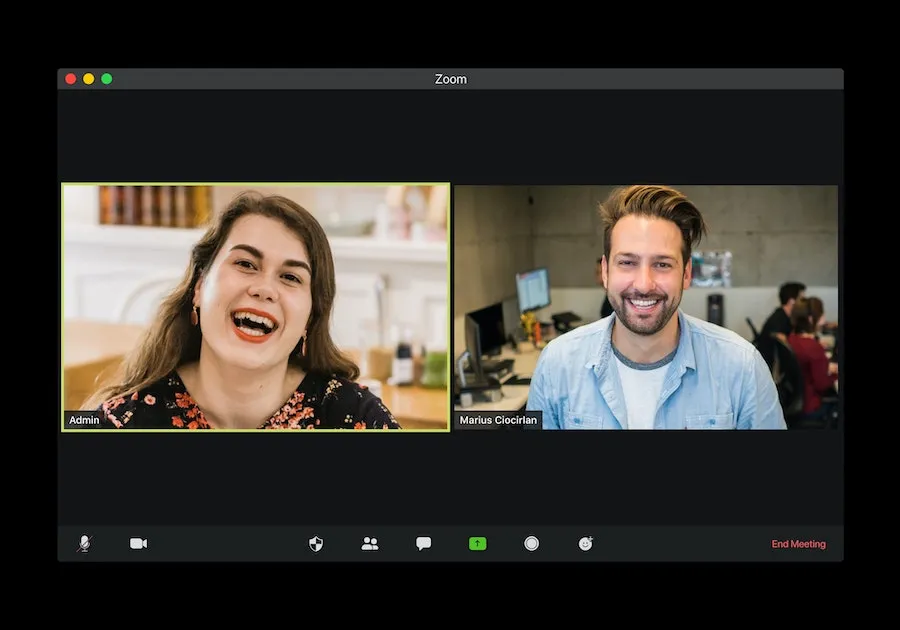
- Zoom Meetings
- Google Meet (Hangouts was folded into Meet a while back, so this is where that link now goes)
- GoTo Meeting (rebranded from GoToMeeting when LogMeIn became GoTo)
4 Top Productivity Tools for Remote Teams
4 Top Time Tracking Tools
4 Top Document Signing Tools
- SignEasy
- Adobe Acrobat Sign (renamed from Adobe Sign)
- SignRequest
- Dropbox Sign (formerly HelloSign, rebranded after Dropbox’s acquisition)
Step 3: Set Up Regular Feedback and Accountability Check-Ins
Remote work presents a new set of challenges that didn’t previously exist in an office environment. Some team members juggle childcare or eldercare duties alongside work. Others may be dealing with a family member’s illness or another personal crisis that an office job would have kept them physically separated from during the workday.
Your team members are facing their own challenges adjusting to remote work. Therefore, your feedback and accountability checks, while necessary, shouldn’t be burdensome. One possibility is to schedule one-on-one meetings with each team member at the end of the week to track progress and provide feedback on work submitted throughout the week. This beats them getting a daily message that leaves them feeling pressured and overwhelmed.
Conversation Tips for One-on-One Meetings
- Start by highlighting the good things the team member has done. Commend the great effort and encourage this progress in the right direction.
- Provide task-based feedback. Don’t attack the person. Instead, provide a critique of the elements of the task, skill or project that need to be improved.
- Provide actionable resources and tips that will help the team member effectively complete the task.
- Show that you care by enquiring about the team member’s personal needs and struggles.
- Provide mentorship and growth opportunities where possible.
Step 4: Keep Remote Employees Engaged With a Rewards Program

The value of an engaged workforce hasn’t dissipated with the advent of remote work. Gallup’s ongoing meta-analysis of business units worldwide finds that top-quartile engagement teams see 23% higher profit than bottom-quartile ones. It’s important now more than ever for companies to strive for increasing profitability through employee engagement.
You can use an employee engagement platform, such as RewardCo or HeyTaco, to create a special remote work rewards program. You can use these reward platforms to offer incentives such as badges for online participation or certificates for stellar remote work performance. TangoCard is also an option for giving perks such as Google Play credits or Amazon gift cards.
Step 5: Build a Remote Culture That Doesn’t Run on Email Alone
Team culture has a lot to do with how teams work. A team should work well together and be inspired to complete meaningful work. Remote team culture is more than ensuring tasks are completed. You want to replicate the fun and positive energy that previously existed in the physical workspace. Some tips for making this happen include:
- Using GIFs to add humor
- Communicating through video instead of text
- Sharing appropriate jokes and memes
Getting a Remote Team Transition Right Takes Real Structure
Remote and hybrid work are now the normal way many teams operate, not a temporary arrangement. Getting a team through the transition well comes down to the same five things: onboarding, tools, feedback, incentives, and culture. Change is hard, but a team with real structure around the switch adapts far faster than one handed a laptop and left to figure it out.
Once the day-to-day transition is handled, it’s worth looking at what else changes when a team goes remote, including how health insurance works for remote employees, which trips up a lot of employers making the switch for the first time.
Frequently Asked Questions
How long does it take to fully transition a team to remote work?
There’s no fixed timeline, it depends on team size and how much of the tooling and process is already in place. A small team with modern collaboration tools already in use can be operating well within a few weeks. A larger team moving from an office-only setup with no remote infrastructure should expect a couple of months to work out onboarding, tooling, and feedback rhythms before it feels settled.
Do we need every tool listed here, or just a few?
Just a few. Pick one tool per category (one video-call tool, one project tracker, one time-tracking tool if you need it, one e-signature tool) rather than adopting all of them. Tool overload is one of the fastest ways to lose the productivity gains remote work is supposed to bring.
Is hybrid easier to transition to than fully remote?
Not necessarily easier, just different. Hybrid keeps some in-person structure that can mask onboarding and communication gaps early on, which sometimes means those gaps surface later than they would on a fully remote team. Fully remote forces you to get the structure right from day one because there’s no office fallback to lean on.