
How To Make A Stunning Online Portfolio That Beats Any CV When Applying for Remote Work

Remote job listings routinely pull in hundreds of applicants within days, and most of those applicants send the same thing: a PDF resume that looks like everyone else’s. Standing out on paper alone has gotten harder, not easier.
Remote roles remain in high demand, and hiring managers are sorting through more applications than ever to fill them.
Here are some of the reasons people keep choosing remote work over an office job:
- Less commute stress
- A customizable office
- Better work-life balance
- Money savings
- A smaller environmental footprint
- Location independence
- Improved inclusivity
But where to start?
With an online portfolio.
In contrast to a standard CV, which often looks bland to recruiters and hiring managers, an online portfolio stands out among the crowd. Traditional CVs can get lost in the shuffle amongst the hundreds of people applying for the same position and do not show specific examples of your work.
In this article, I will explore what an online portfolio is, who needs one (hint: everyone), and how to get started on making a stunning online portfolio that beats any CV by using website builders like Wix, Squarespace and Webflow. Pair it with a strong interview prep strategy and you’ll have both halves of the application covered.
What is An Online Portfolio?

Simply put, an online portfolio is a collection of works created throughout your professional (or collegiate) career. Like a CV, an online portfolio shows your skills, education, training, experiences, work samples, qualifications, and beliefs.
This information is compiled into an aesthetically pleasing and easy-to-navigate website that, amongst other things, shows examples of your best work, talks a bit about you as a person, and expands on your work history all while showing your creative side.
Because CV usage is so common, rules have been implemented, and best practices are seemingly written in stone. Not with an online portfolio.
Who Should Make a Portfolio?
Anyone! Everyone!
The average worker may think that only people in creative fields like design, videography, or photography can make a portfolio. Nothing could be further than the truth!
Although online portfolios work exceptionally well for those in the following fields:
- Photography
- Videography
- Architecture
- Graphic Design
- Art
- Advertising
- Web Development
- Writing
The truth is, as long as you have examples of your work that can be shown in visual form, an online portfolio is right for you! Some common examples of work that can be shown in an online portfolio include:
- Case studies
- Research projects
- User experience projects
- Lab reports
- Presentations
- Writing samples
- Photos of you working
Now that you’ve got your materials ready to go, it’s time to…
Choosing a Website Builder for Your Online Portfolio
There are many online website builders now available across the world wide web. Some are more technical than others and necessitate web development, maintenance, upkeep, and hosting. WordPress is a standard and economically-friendly option around the world for business websites.
For an online portfolio, it’s easiest and most effective to use a drag-and-drop website builder such as Squarespace or Wix.
Wix is very easy to use for beginners, while seasoned website builders will find the lack of developmental abilities frustrating. Wix’s drag-and-drop block builder lets users rearrange the site to their liking without touching any code.
The learning curve is anything but steep, and those looking to set up an easy and functional - yet shallow - online portfolio can do so within an afternoon.
Squarespace combines the ease of creation with the depth of a more traditional website builder. Its templates are more rigid and do not allow the overarching freedom of movement that Wix templates do.
This makes it less likely creators will have to re-do their websites because of novice mistakes while giving a similar amount of control as Wix.
Still deciding? Squarespace is the one I’d point most portfolio builders toward first, precisely because those rigid templates keep you from making novice layout mistakes.
Picking a Portfolio Theme That Fits Your Field
There are nearly an unlimited amount of themes you can select on Wix, Squarespace, or third-party theme developers across the web.
Themes are specific and best used for a particular type of small business, project, or landing page. There are eCommerce themes, garage band themes, restaurant themes, and yes, online portfolio themes.
The goal is to have a dominant and prominent front page with the aspect of your online portfolio you deem most worthy. Maybe you’re a model, and your smiling face needs to be up close and personal.
Perhaps you’re a user experience designer, and Nike and Estee Lauder recently featured your design on their front page. Put that front and center. Whatever your profession, you need a theme that embodies who you are and what you do.
Here are some of the best online portfolio themes you can score right now:
Wix Portfolio Themes
Gone are the times when you had to create your CV on one sheet or Canva template because now you can actually express your creativity and give a personal note from you on the templates which are available on Wix.
Wix has templates that are divided into 6 separate sections, so I’m sure you’ll find the right one and create your website in less than an hour, and just for now, I am sharing some of my picks :
Creative: The Art Director
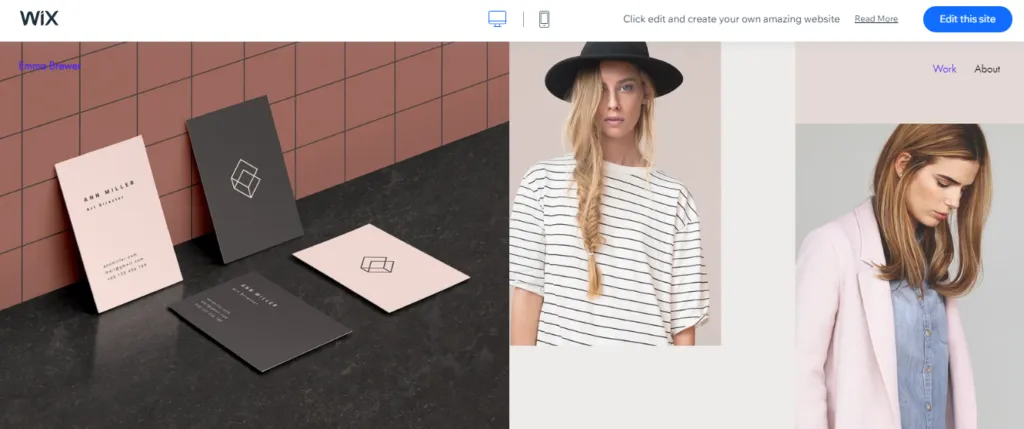
Business: The Professional
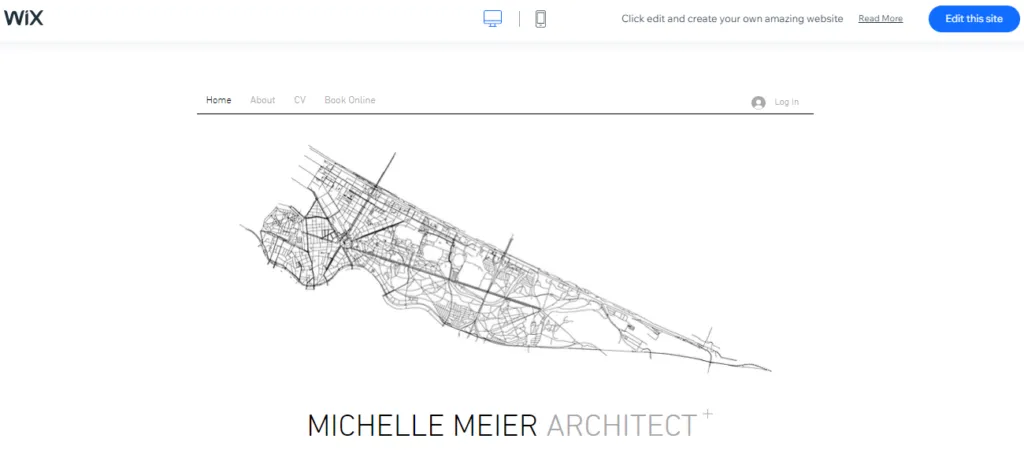
Squarespace Portfolio Themes
Squarespace is another great option if you want to create something quickly that doesn’t involve looking for a website designer and when you want to avoid brainstorming ideas for days.
Squarespace also works in a similar way as Wix, so all you have to do is go on the website and search for the category that describes best the work you’re doing and click on all the extra options that pop up that also describe your work in more detail, so you can get the best templates right in front of you.
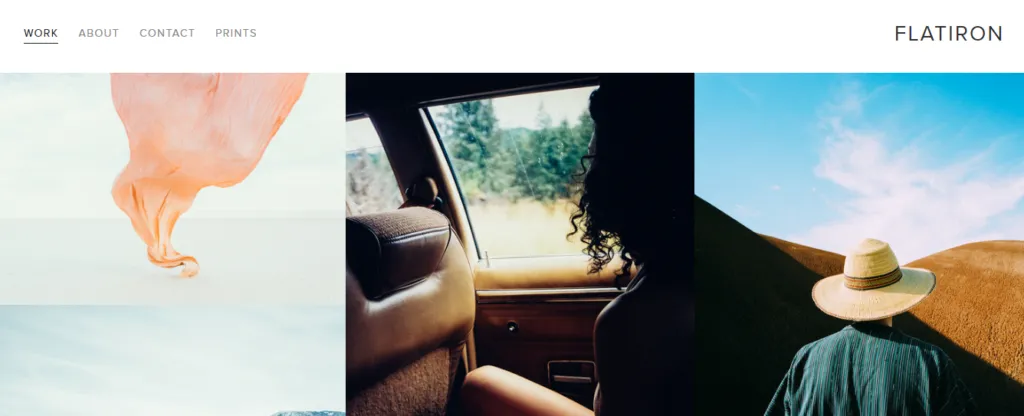
For now, here are some that I loved while poking around their website:
Creative: Flatiron
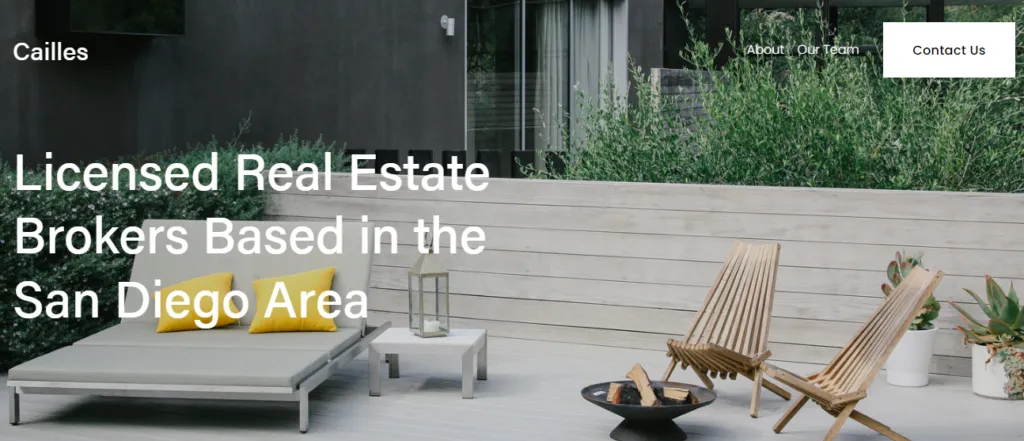
Business: Cailles
Webflow Portfolio Themes
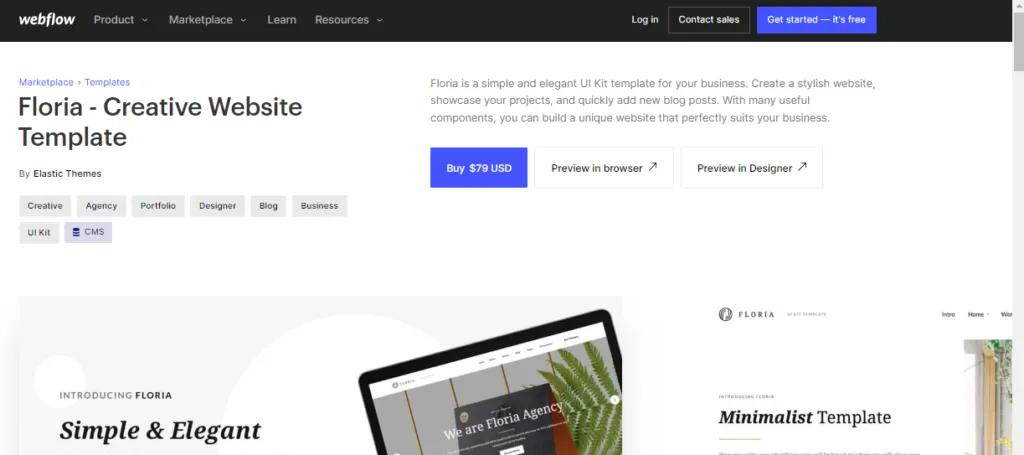
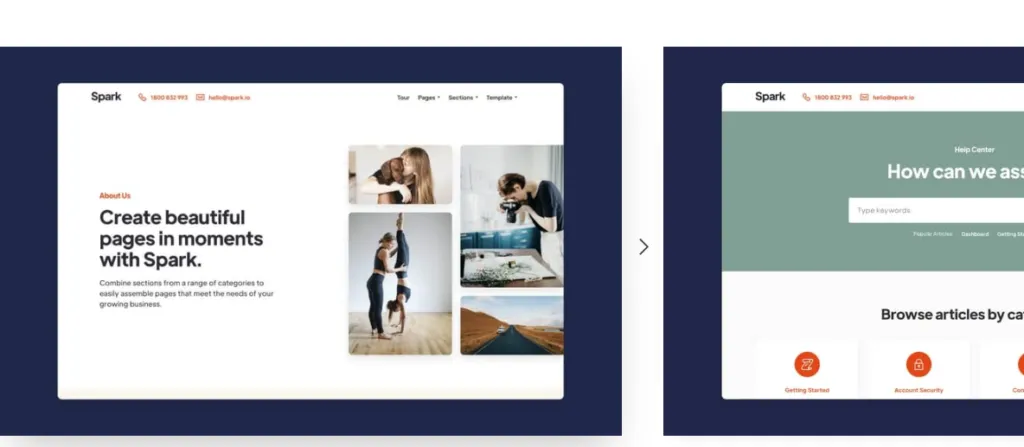
Webflow is another great option for quickly creating responsive websites, and the best thing when it comes to using Webflow is that you can see the price tag attached to each model you love, plus you can live preview how your website would look like without any pre-payments in advance.
Here are some of the templates I loved:
Creative: Floria
Business: Spark
What Should You Put Into Your Portfolio?
So you’ve realized you need an online portfolio and understand that anyone (even you!) can make one. You’ve researched your favorite customized website builder and now have your theme all picked and ready to go.
So, what do you put into your portfolio, and in what order?
Design Your Portfolio to Reflect Who You Are, Not a Template
Even if you are not creative by trade, allow your inner creativity to shine through in your website. It’s your website! Design it in any way that makes you feel good. If you are in a creative field, this is an excellent opportunity to show potential employers what you’ve got.
Give Visitors One Clear Next Step
Every website needs a call to action. Maybe you’d like employers to see your work, to reach out by email, to call you on the phone? Make sure the first button your visitors see leads them to the place you’d most like them to go.
Sharp Photos and Clean Copy Build Instant Credibility
Nothing turns off potential employers more than poor spelling and blurry images. Make it professional!
List the Services You Actually Offer
Ensure that your online portfolio includes everything you can provide to a potential employer (or client if you are a freelancer), with specific examples of what problems you can solve for interested parties.
Testimonials That Back Up What You Claim
Just like a fantastic LinkedIn recommendation, testimonials of your amazing work can go a long way in wooing potential employers. Make yourself a testimonial page, so visitors know how awesome you are!
Explain Why You Want This Kind of Work
Getting the attention of employers is extremely hard. Ensure you show your emotional and human side by providing why you are looking for work in the specific field you are applying to. This is a great way to showcase your writing, so don’t miss out on this section.
Show the Work Itself, Not Just Claims About It
Are you a keen photographer with amazing pictures from around the world? It’ll be easy for you to make your content page. Others in law, transcription, and virtual assistant work will have to be creative when filling theirs. Show aspects of your career that epitomize you as a worker and a teammate, and let your personality shine.
Link Your Social Accounts So Recruiters Can Verify You
Link your social media accounts in the header or the footer of your site so people can check you out on social. They’ll do this anyway; might as well give them a shortcut.
Still Include a CV, Just Not as the Main Event
Yes, you still should include your CV on your online portfolio. It’s always a valuable document but should be treated as an additional resource, not the sole and central one.
Add an FAQ Section to Skip the Small Talk
Imagine going through your first interview at a company. They ask you what you are looking for in a job and what intrigues you about the field before asking you to run through your CV from high school. By adding a frequently asked questions page to your website, you can skip the pleasantries and get down to business.
It’s not hard to see what an online portfolio can do for you. Instead of a static CV, you can let your personality, creativity, and skills shine through in an aesthetically-pleasing and visually-centric website. Once you’ve got the basics of your target role down, checking our list of entry-level remote jobs can help you figure out exactly what to showcase.
It’s never too late to start building yours.
Frequently Asked Questions
Do I still need a CV if I have an online portfolio?
Yes. Some hiring managers and applicant tracking systems still expect a traditional CV, so keep one available on your site or ready to send, just don’t lead with it. Your portfolio should be the first thing a recruiter sees; the CV is a supporting document.
What if I don’t have professional work to show yet?
Use what you have. Class projects, freelance samples, volunteer work, or a couple of self-directed practice pieces are enough to start with, especially for entry-level roles. A portfolio with three honest examples beats an empty one every time, and you can add to it as you gain real client or employer work.
How long should it take to build a portfolio?
With a drag-and-drop builder like Wix or Squarespace, a simple version can be live in an afternoon. Give yourself a few days if you want polished copy and curated work samples, since writing the “why” section and picking your best examples takes longer than the actual site build.
Should I use a free plan or pay for hosting?
Free plans are fine to test a layout, but most come with the builder’s branding and a clunky auto-generated URL, which looks unprofessional to a hiring manager. Once you’re applying with the link, a paid plan with your own domain name is worth the small monthly cost.